
Glade Tasks
Glade Tasks
Glade Tasks keep you and your team organized by pulling everything that needs attention into one place. There are two kinds: automatic tasks that Glade creates from your workflows, and manual tasks you create yourself — for anything that needs tracking outside of a workflow.
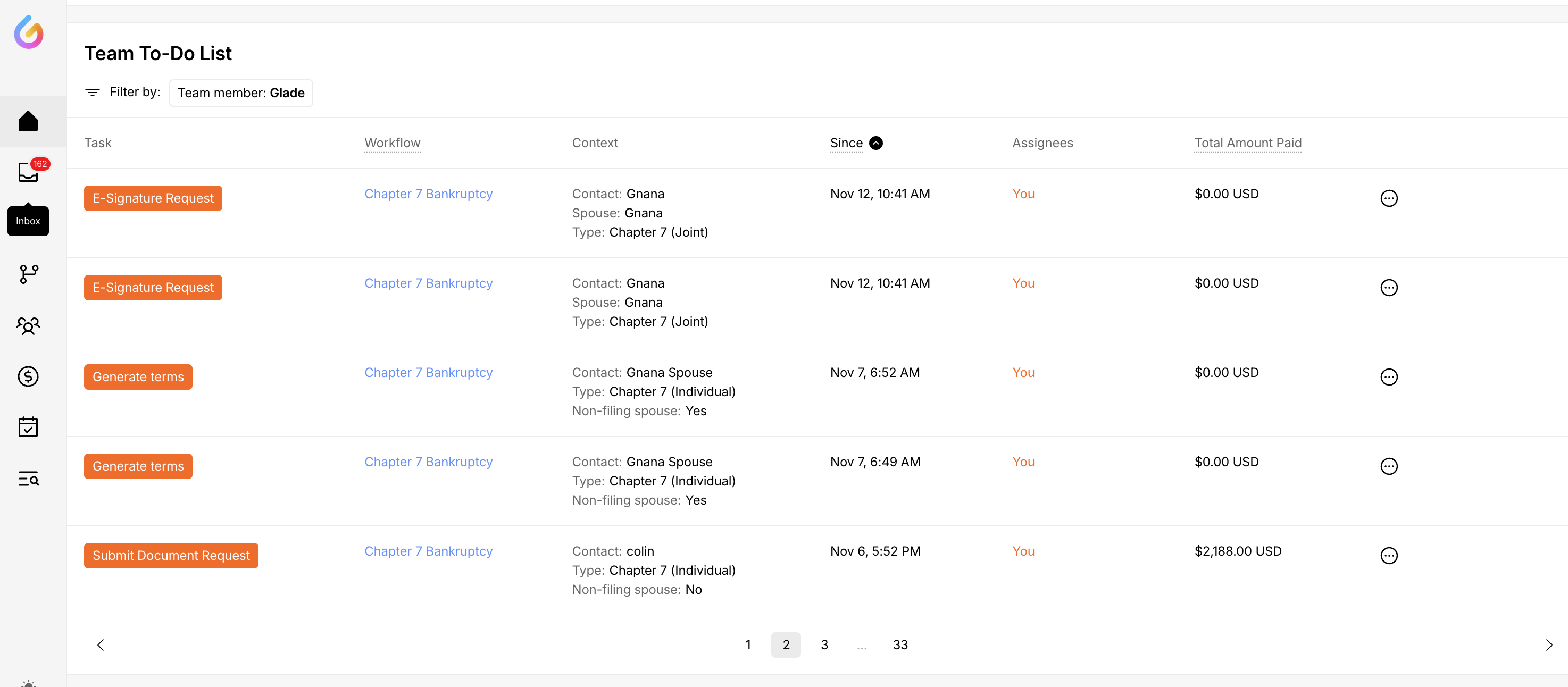
Creating a Task Manually (Only Available in Glade 2.0)
When you need to track something that isn’t part of an automated workflow — a follow-up call, an internal to-do, or a one-off reminder — create a manual task.
Open the Add Task form. Click Add Task at the top of your Tasks list. You can also open the Tasks panel inside a case or on a client profile and add it from there — when you start from a case or client, that case or client is filled in for you automatically.
Give it a title. A title is required. Add an optional description with any extra detail.
Set a priority. Choose None, Low, Medium, High, or Urgent so the most important work stands out at a glance.
Assign it (optional). Add one or more team members, or leave it unassigned and assign it later. Everyone assigned sees the task in their Inbox.
Add a due date (optional). Due dates let you sort your Tasks list by what’s due soonest.
Link a case (optional). Associate the task with a workflow — opening the task then takes you straight to that case.
Save. The task appears immediately in your Tasks list and in the Inbox of anyone assigned.
You can edit the title and description inline at any time, and mark a task complete (or reopen it) with a single click.
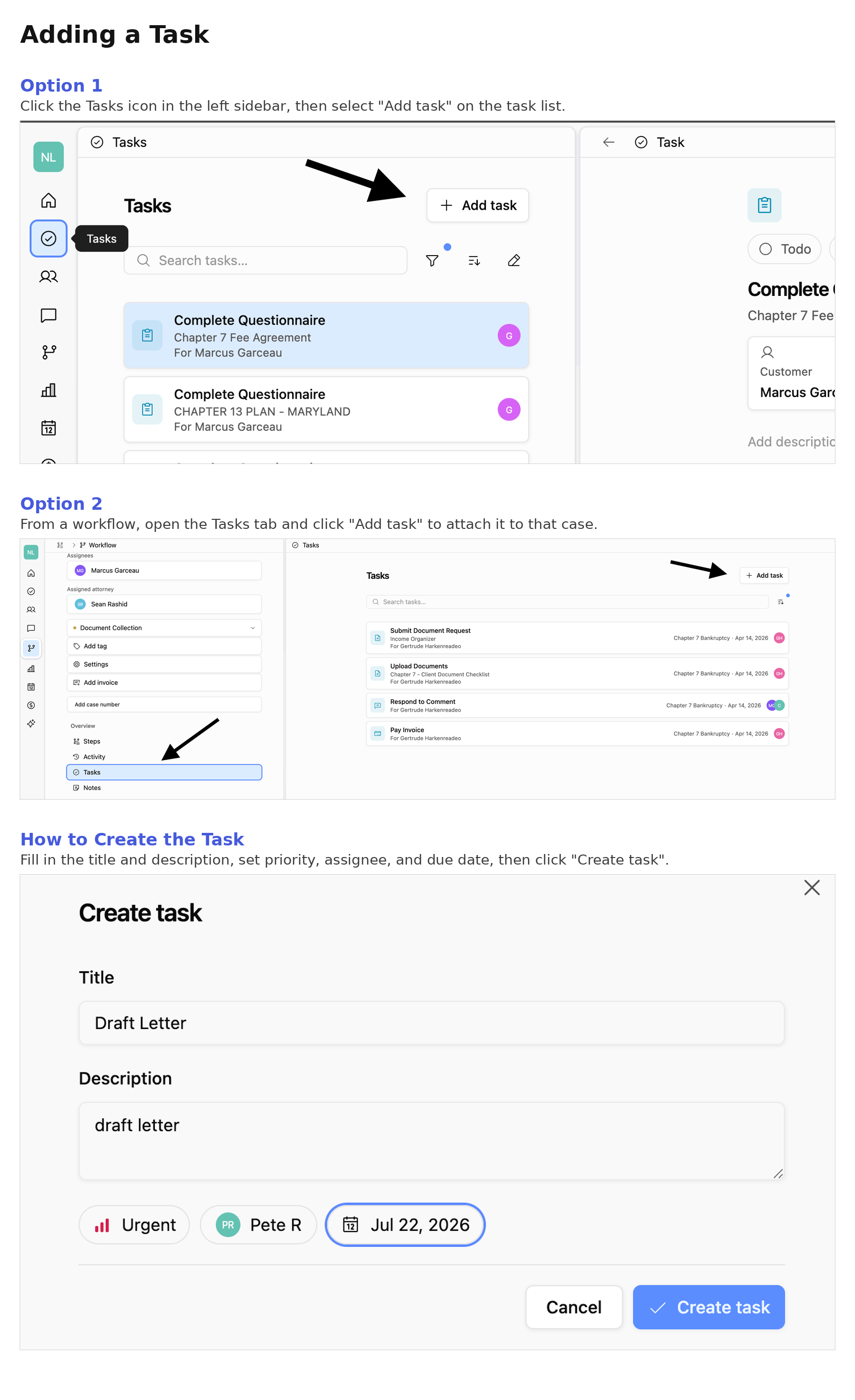
Automatic Tasks
Glade generates these from your workflows whenever a step needs human review or approval. As clients complete their steps, tasks appear for your team so cases keep moving forward.
Common examples include:
Reviewing documents or questionnaires
Responding to comments or messages
Pulling credit reports
Approving submitted information
Verifying identity or uploaded files
Automatic tasks are routed to the right person based on who owns the workflow, the step the client is currently in, and your firm’s assignment settings. Completing one marks it done and advances the workflow to the next step.
Where You’ll Find Tasks
Your Inbox — every task assigned to you, plus team tasks you can access
Your Home Page — the “Team To-Do List” shows tasks across your firm; filter by team member, workflow, or status
Inside a case (workflow) — the Tasks panel shows tasks tied to that specific case
On a client profile — the Tasks panel shows tasks for that client
Completing a Task
Clicking a task opens whatever needs your attention — the workflow step, client submission, or the task itself. Once the work is done, mark it complete and Glade clears it from your Inbox and To-Do list. For automatic tasks, completing it also advances the workflow. You can reopen a completed task anytime if you need to revisit it.
FAQ
Q: What’s the difference between automatic and manual tasks?
A: Automatic tasks are created by Glade as clients move through your workflows. Manual tasks, only available in Glade 2.0, are ones you create yourself for anything that needs tracking outside of a workflow.
Q: Do I have to assign a manual task to someone?
A: No. Assignees are optional — you can leave a task unassigned and assign it later.
Q: Does a manual task have to be tied to a case?
A: No. Linking a case is optional. If you do link one, opening the task takes you straight to that case.
Q: Can I set a reminder for a manual task?
A: Manual tasks appear in your Tasks list, Inbox, and the relevant case or client panel, and you can give them a due date. Glade’s automated client follow-up reminders apply to workflow steps, not standalone manual tasks.