
How to Mark the "Amended" Box When Filing an Amended Form
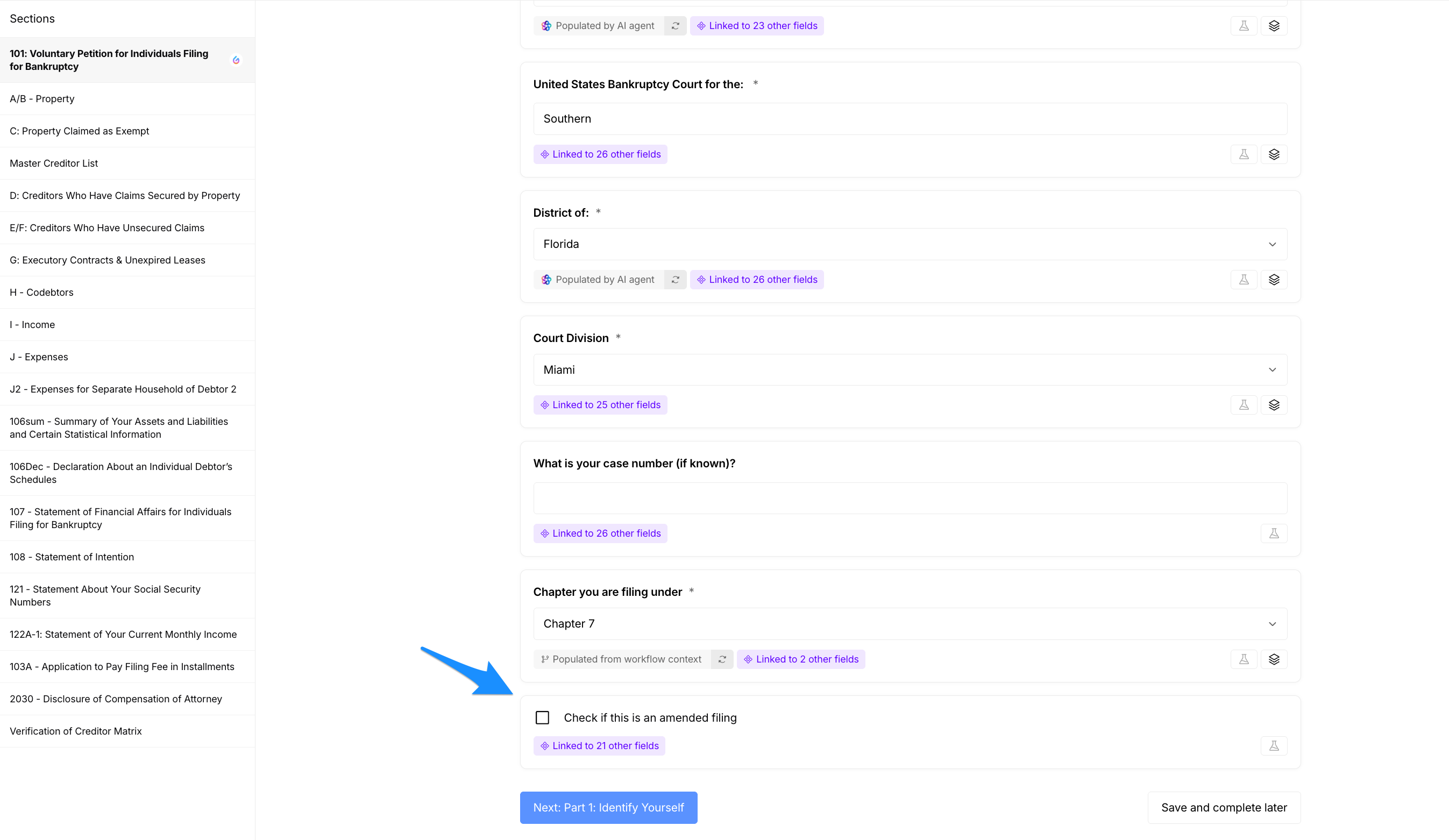
Where to find the amended checkbox
Most schedules and forms include a Case Identification section. In that section you will find a checkbox labeled something like "Check if this is an amended filing" or "Amended."
How to mark the amended box
Open the form or schedule you want to amend.
Scroll to the case identification section (usually near the top or header of the form).
Locate the checkbox labeled "Amended" or "Check if this is an amended filing."
Click the checkbox to select it. Selecting this box updates the filing status across the related schedules.
Review the rest of the form to ensure changes are included, then save or submit as required.
Need more help?
Contact our support team for assistance if you can’t locate the amended checkbox or the system isn’t updating related schedules.