
Delete a Workflow
When to delete a workflow
Delete a workflow only when it is no longer needed. Deletion permanently removes the workflow and its data. Unlike archiving, a deleted workflow cannot be restored.
See it in action:
Before you delete
Confirm that you have permission to delete workflows in your Glade workspace.
Export any important configuration or data you may need from the workflow settings.
Notify teammates who may be using the workflow.
How to delete a workflow
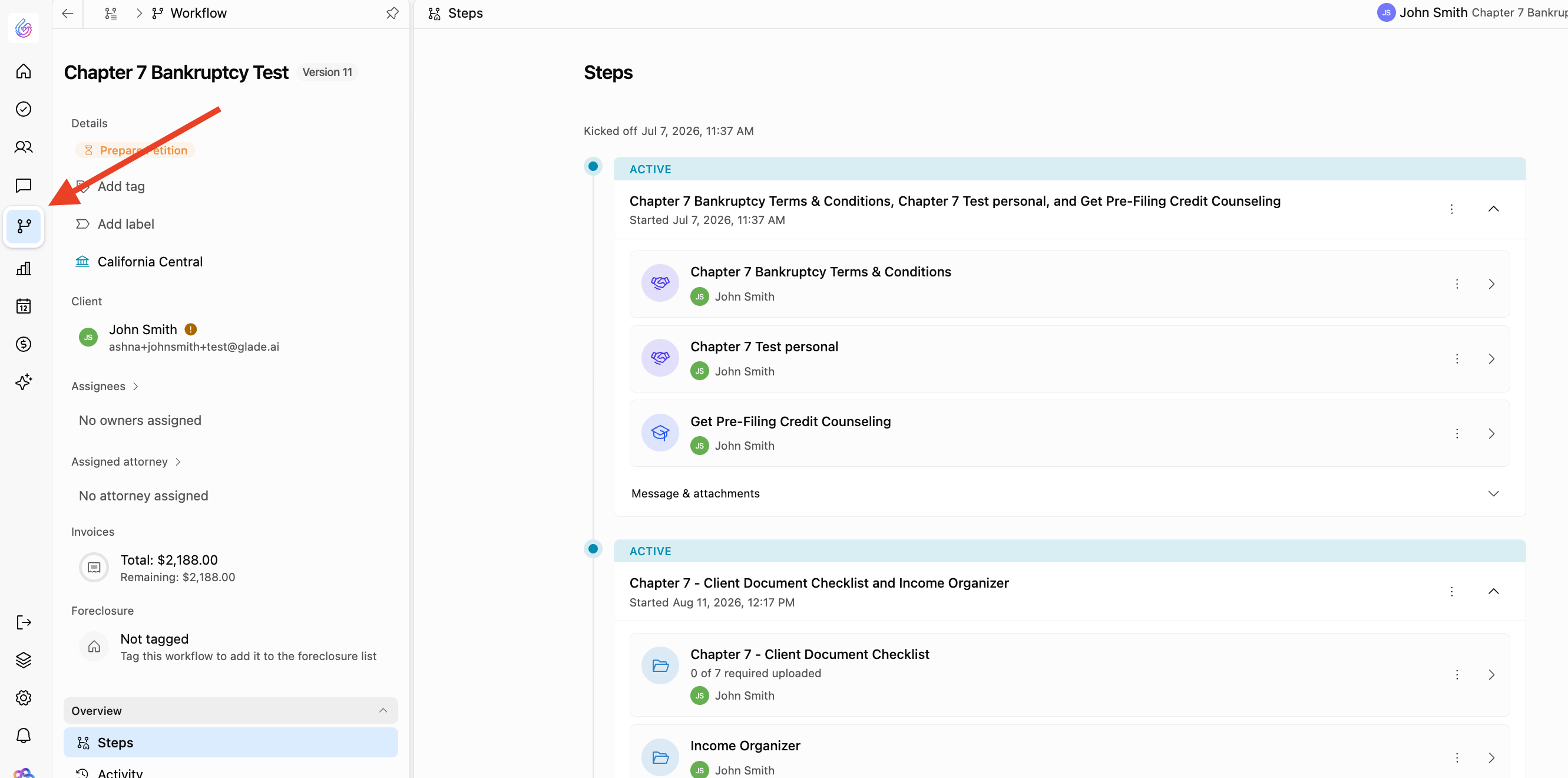
Open the matter in Glade 2.0.
In the left navigation, select Workflow, then Steps.
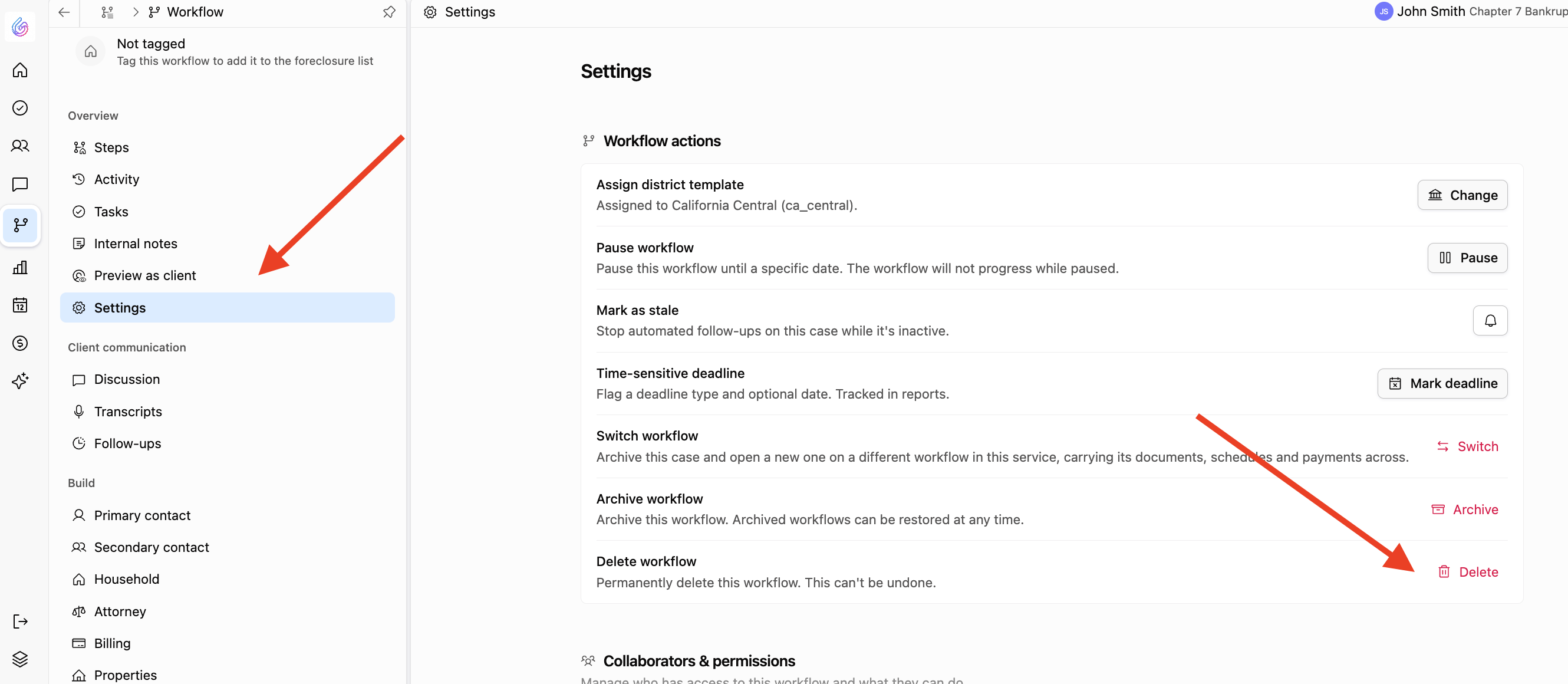
Open Settings.
Select Workflow actions, then Delete.
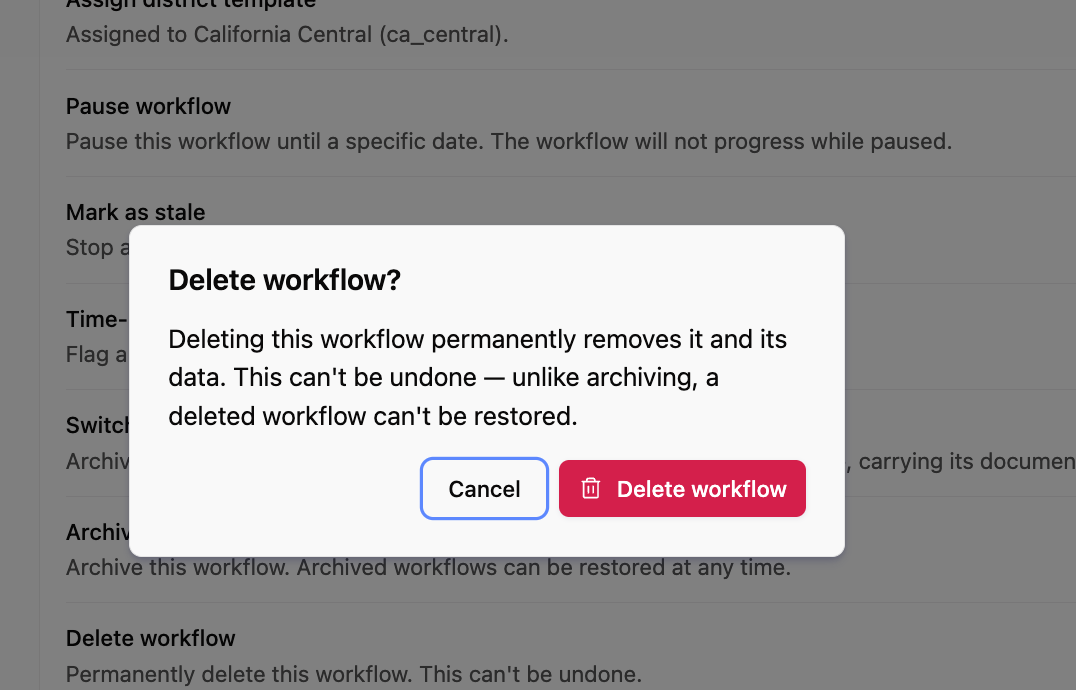
In the “Delete workflow?” dialog, review the warning: “Deleting this workflow permanently removes it and its data. This can't be undone — unlike archiving, a deleted workflow can't be restored.”
Select Delete workflow to confirm.
If you can't delete a workflow
Make sure you have the necessary permissions and contact a workspace admin if needed. If the option is unavailable, check for active runs or integrations that depend on the workflow, then contact Glade support with the workflow URL and a brief description of the problem.