
What is Glade 2.0?
Glade 2.0 is the new name for Glade’s redesigned dashboard — built on firm feedback, with a smarter, faster experience. It’s optional for now: you can try it and switch back to classic Glade anytime.
To use it: alpha.glade.ai
How to Get There
Click the sparkle icon at the bottom of your left sidebar, then Try it now on the prompt that appears. You’ll land on the new Home screen at alpha.prod.glade.ai — worth bookmarking. Not ready? Click Remind me in 1 day instead. Classic Glade stays available alongside it.
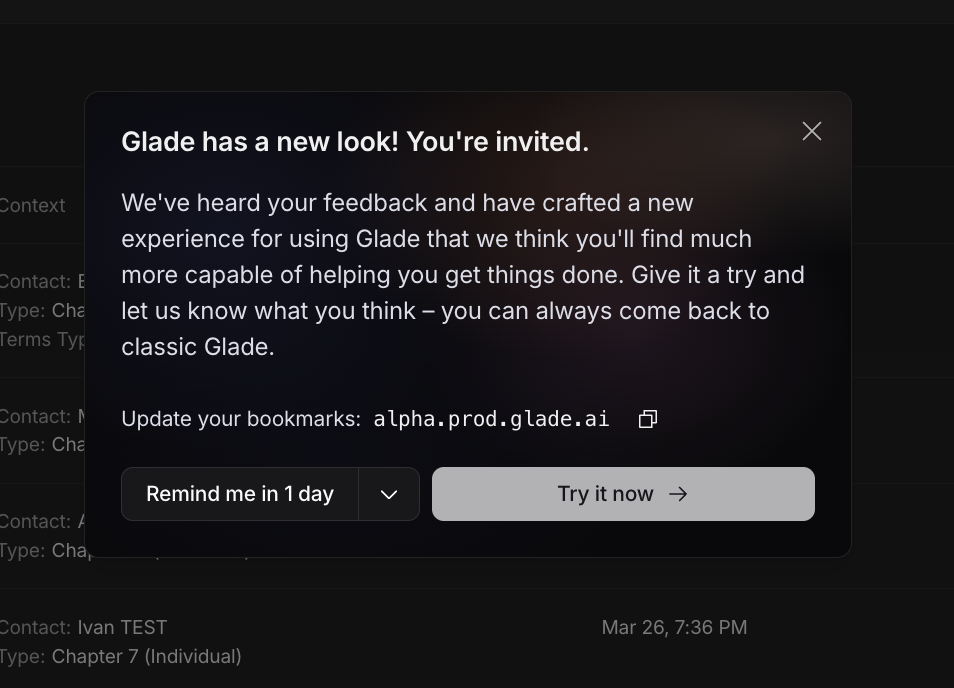
What’s Different
Home now opens with an AI assistant you can ask questions or hand tasks to directly, plus at-a-glance widgets for your caseload and recent activity.
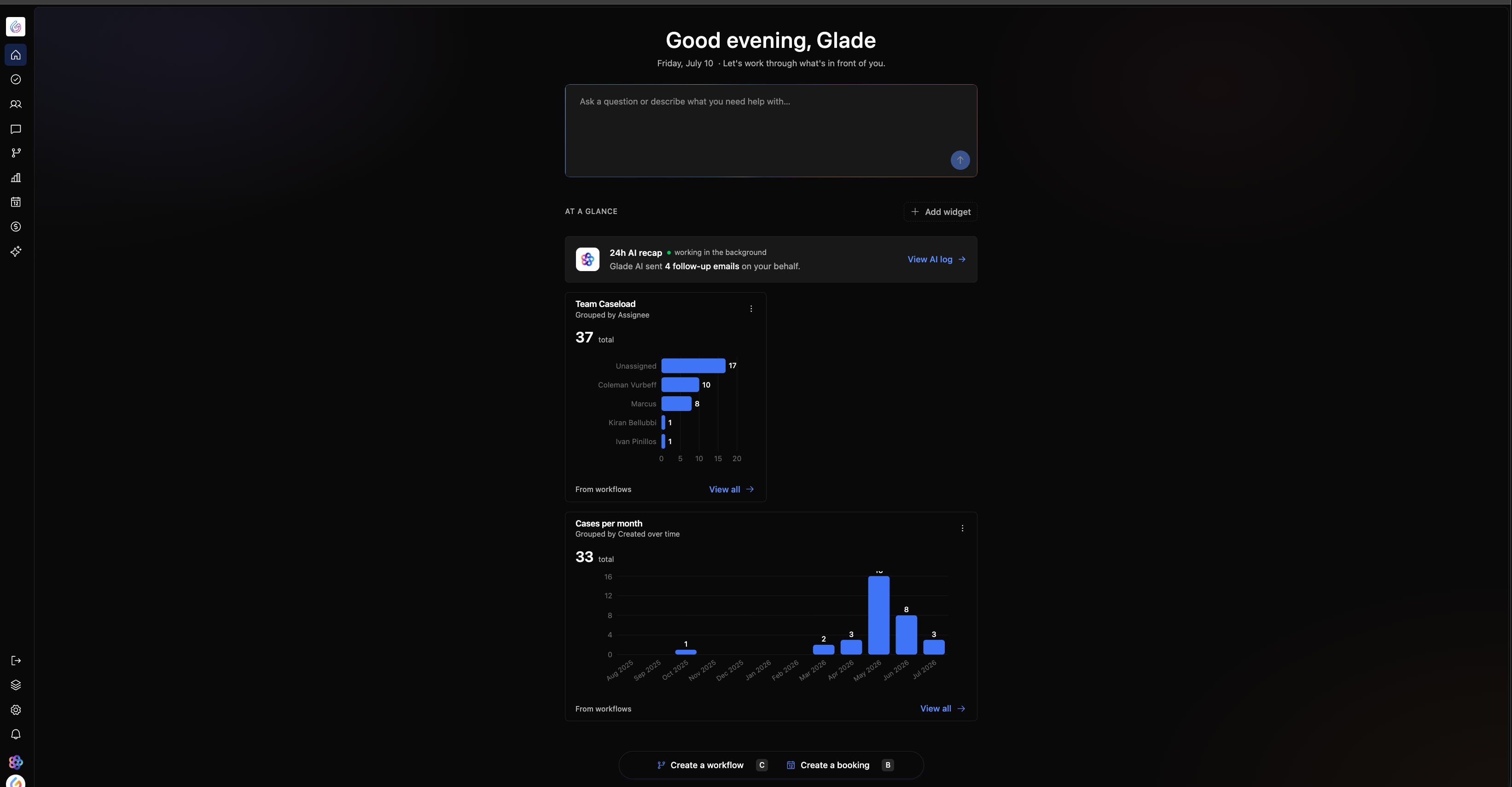
Case data is smarter: information from uploaded documents, questionnaires, and credit reports now flows into one canonical record, and Glade flags it when sources disagree instead of silently picking one.
Everything about a case — billing, creditors, property, schedules, court notices — now lives in a single scrollable view instead of separate tabs.
The workflow editor is faster and built so firms can make their own edits without contacting support.
Navigation moved: a single “Services & modules” icon in the sidebar replaces the old separate menu entries, and several keyboard shortcuts changed — see the dedicated shortcuts guide for the full list.
FAQ
Q: Will I lose access to classic Glade?
A: No. Glade 2.0 is optional right now, and you can switch back anytime.