
Entering Your Attorney Information
Every attorney at your firm has one record in Glade that holds their name, bar admission, contact details, and firm address. Glade reads that record whenever it builds a document — the attorney block and signature pages on a petition, your engagement letters and fee agreements, and the attorney fields in the schedule builder.
This is not a profile page. It is filing data. A blank bar number does not raise an error — it prints as a blank line on the petition. A typo in the licensing authority goes to the court exactly as typed. Fill every field in, once, and the rest of Glade stops asking.
📹 Watch Tutorial Video — Entering Your Attorney Information
Where to Find It
Open Settings, then under Organization click Attorney information.
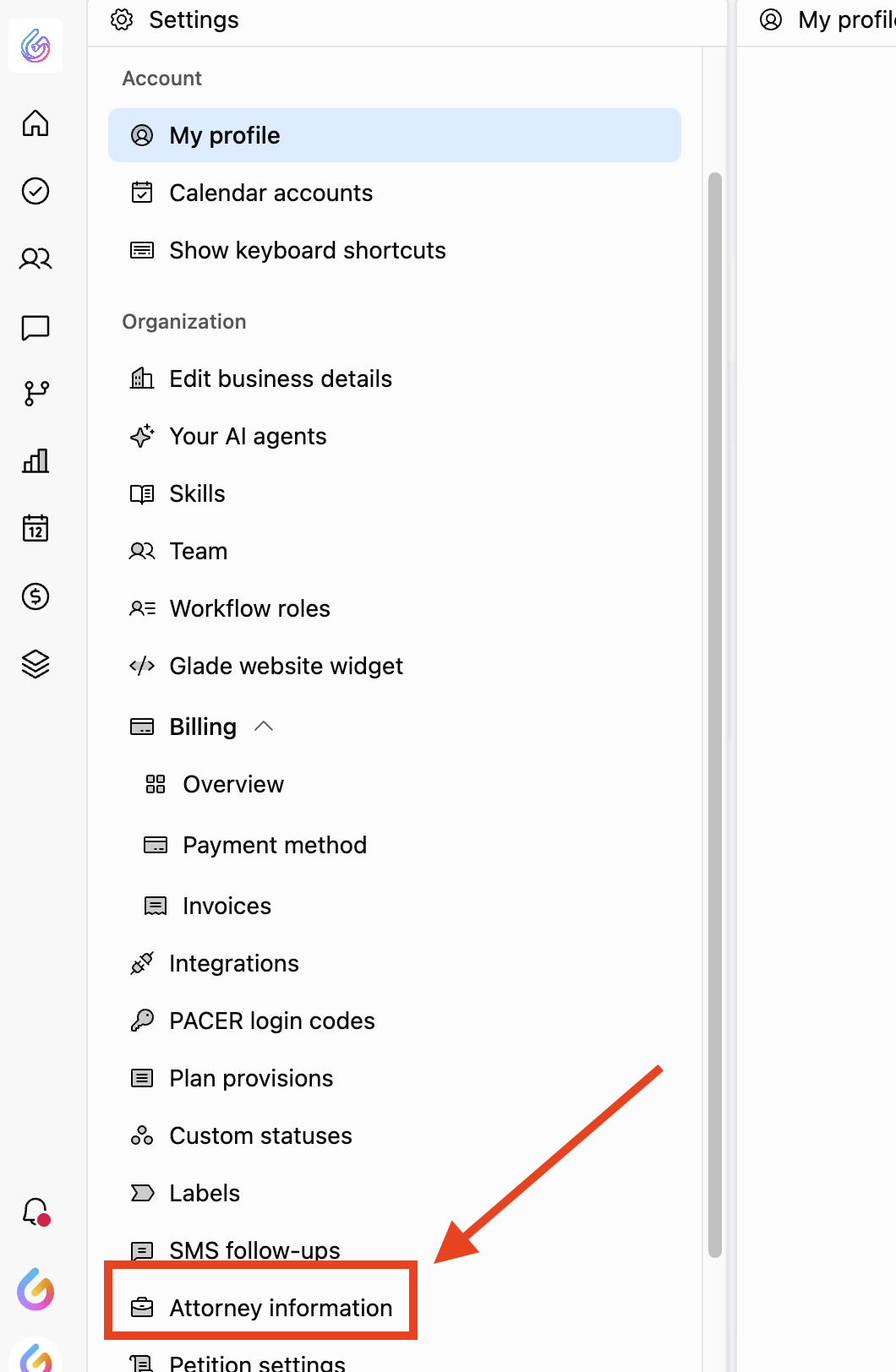
You'll land on your firm's roster of attorneys of record. Selecting an attorney opens their full record beside the list.
Before You Start
The attorney must already be a team member. Glade links an attorney record to an existing Glade account by email address. If the attorney isn't on your team yet, invite them under Settings > Team first, then come back here.
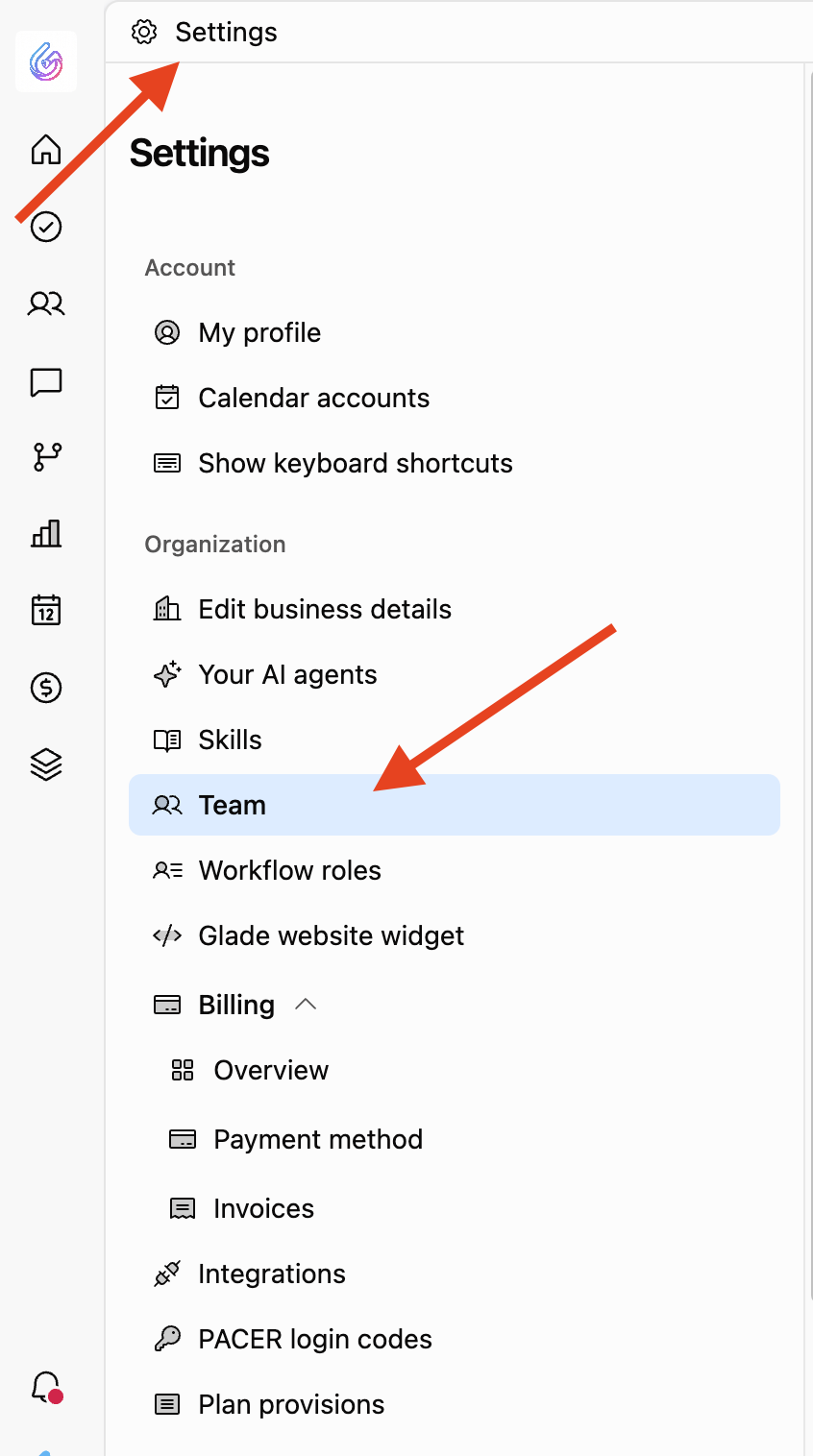

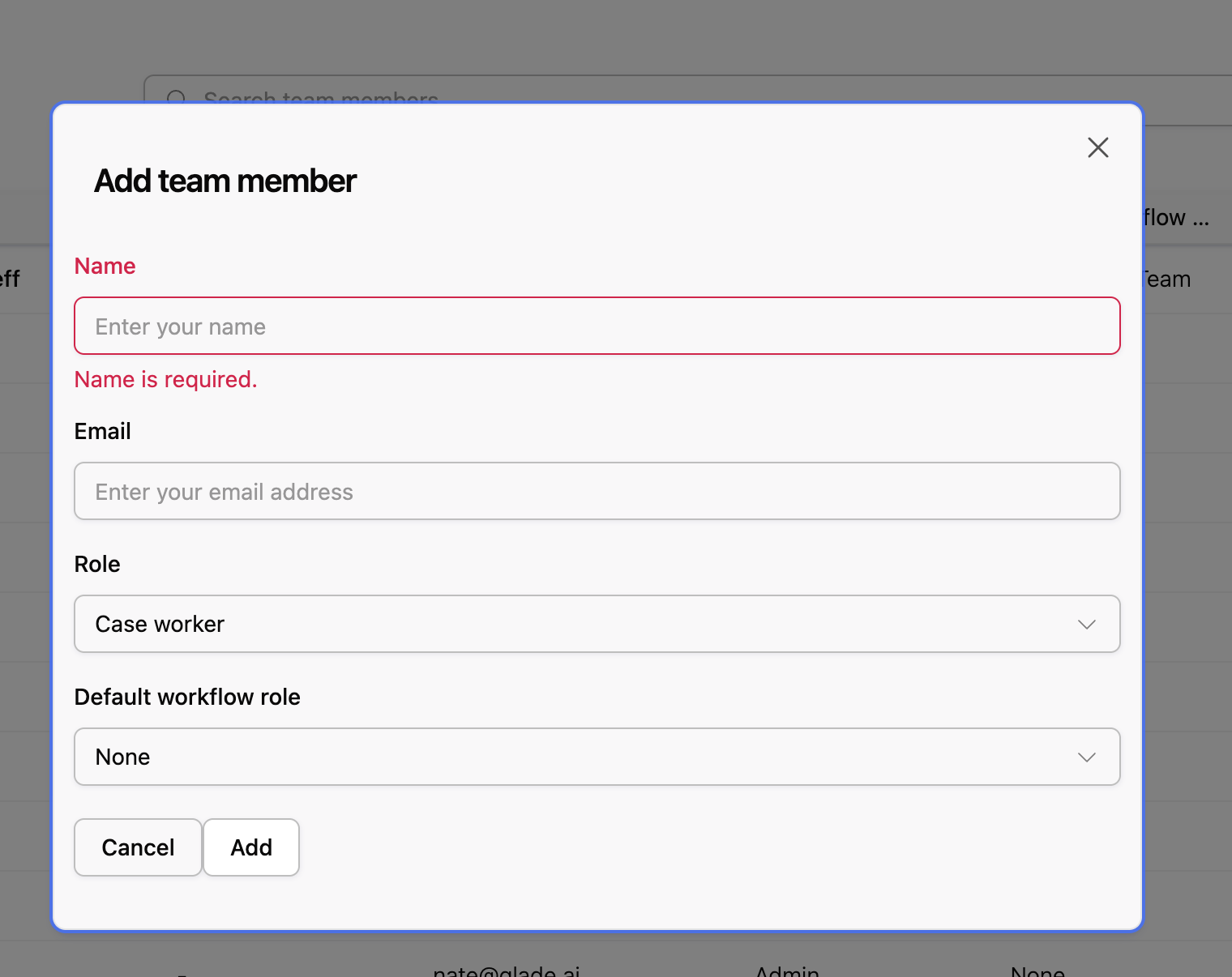
You need admin access to make changes. Non-admin team members can see the roster but not edit it. If Add attorney and Edit attorney aren't there, ask a firm admin.
One record per person. A team member who already has an attorney record won't appear in the picker again.
Adding an Attorney
Click Add attorney on the roster.
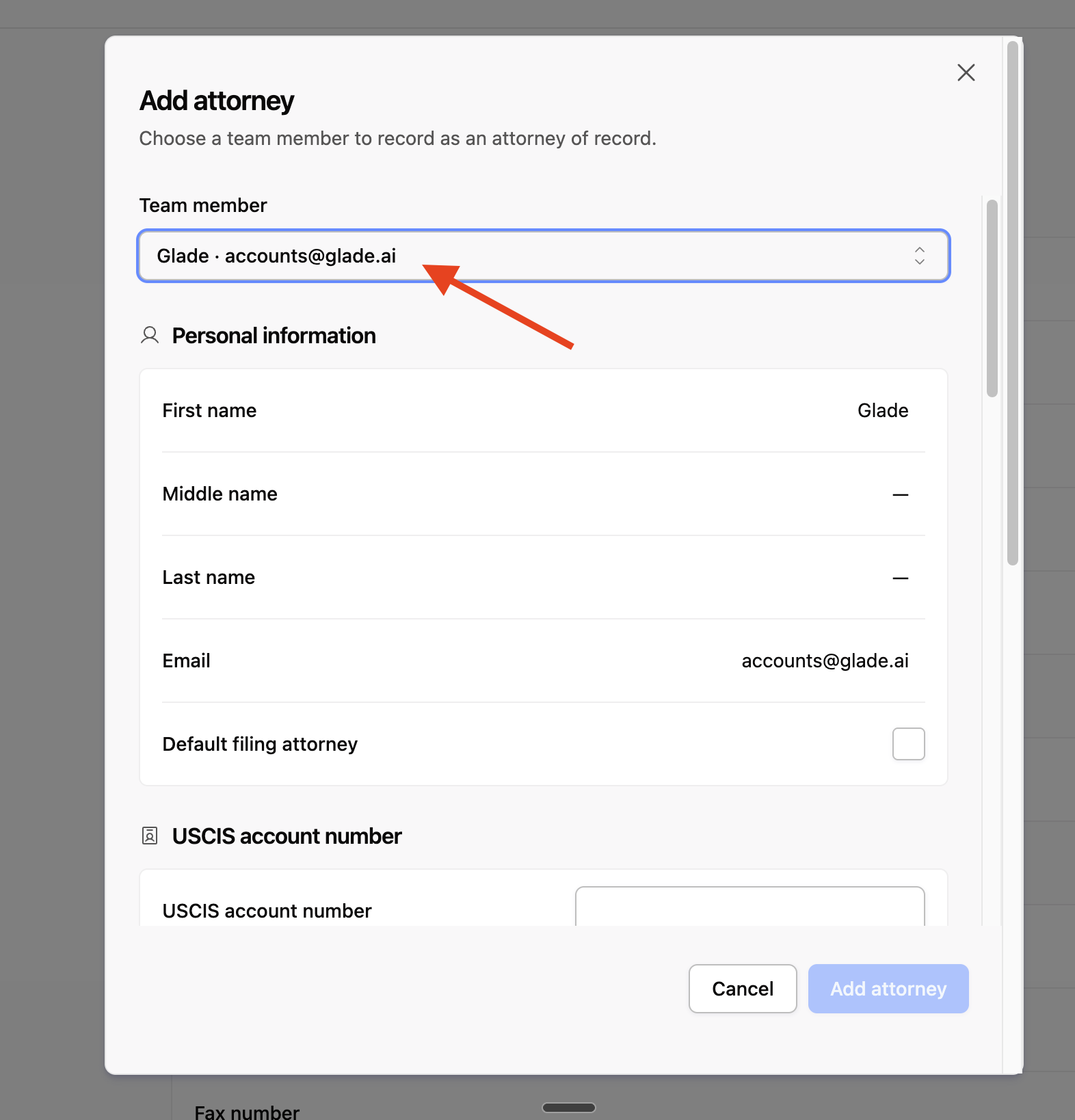
Choose the attorney from the Team member picker. Their name and email fill in automatically and can't be edited here — they come from their Glade account.
Fill in the remaining fields (see below). Everything except first name, last name, and email is optional to save — but not optional in practice, because these are the values that land on court documents.
Click Add attorney.
To change an existing record, open the attorney from the roster, click Edit attorney, make your changes, and click Save.
What to Enter in Each Field
Personal information
Field | What to enter |
|---|---|
First name / Middle name / Last name | The attorney's name exactly as it appears on their bar admission. This is the name that prints in the signature block, so use the formal legal name, not a nickname. Include the middle name or initial if the bar record has one. |
Set from their Glade account. To change it, change it on their team member record. | |
Default filing attorney | See Default filing attorney below. |
USCIS account number
Only relevant if your firm handles immigration matters. If you don't, leave it blank — it won't appear on a bankruptcy petition.
Phone numbers
Field | What to enter |
|---|---|
Daytime phone number | Fill this one in. It's the number that prints as the attorney's contact number on filings, so use the office line a trustee or court clerk should call — not a cell. |
Mobile phone number | Optional. Not typically printed on filings. |
Fax number | Enter it if the firm has one. Several districts still expect a fax number in the attorney block. |
Glade doesn't reformat phone numbers. Pick one format for the whole firm — (555) 123-4567 or 555-123-4567 — and use it on every record, so your filings look consistent.
Mailing address and Physical address
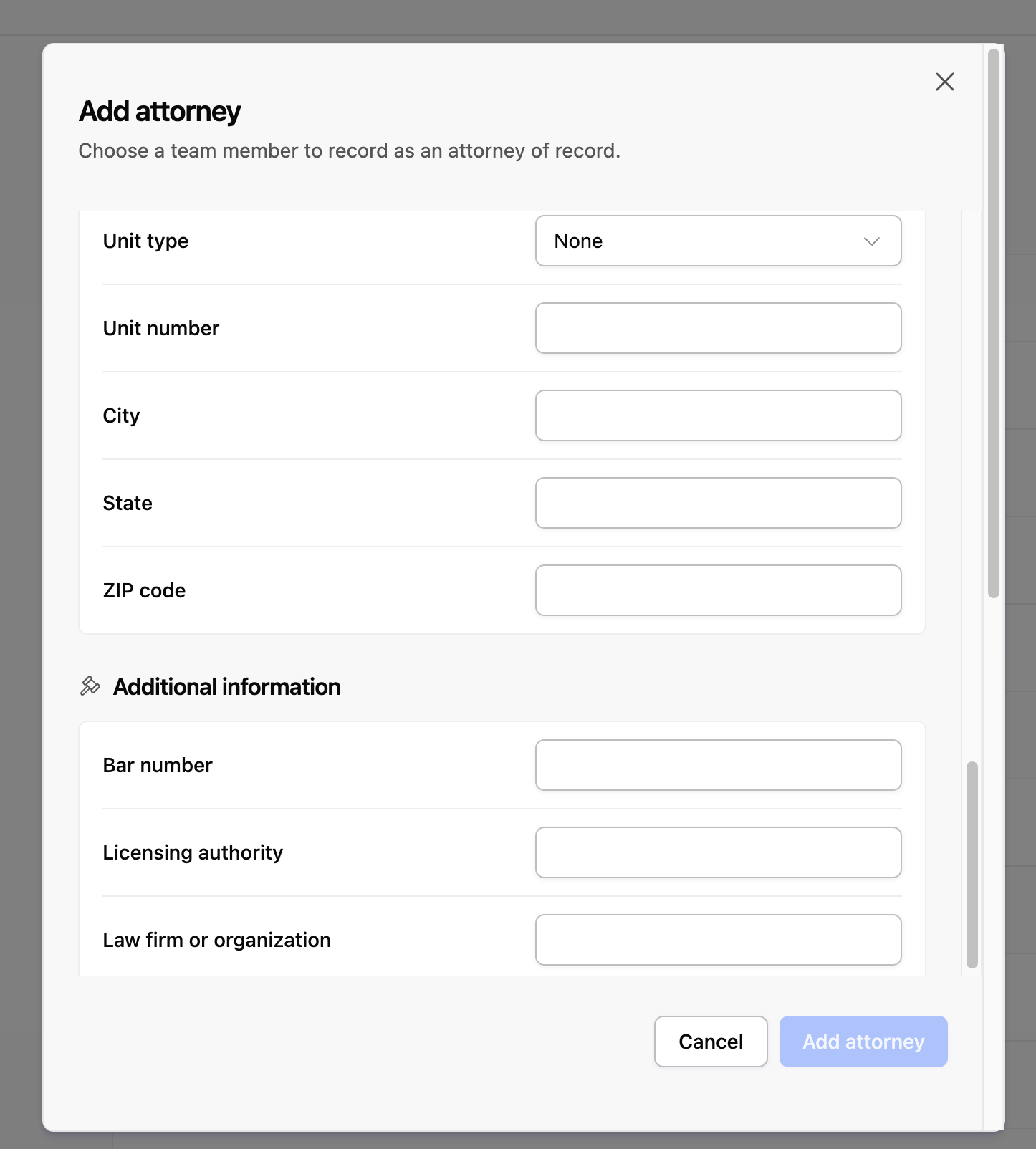
Two separate addresses, each with Street, Unit type, Unit number, City, State, and ZIP code.
Mailing address — where the firm receives mail. This is the address most commonly used in the attorney block on filings.
Physical address — the office's street location.
Fill in both, even when they're identical. Documents pull from one or the other depending on the form, and a blank one prints blank.
Unit type is a dropdown: None, Suite, Floor, or Apartment. Choose the type, then put just the number or letter in Unit number — Suite + 400, not Suite 400 in the number field. If there's no unit, leave the type on None.
State — use the two-letter postal abbreviation (CA, TX) and keep it consistent across records.
Additional information
These three matter most, and are the ones most often left empty.
Field | What to enter |
|---|---|
Bar number | The attorney's bar number for the state they file in, digits and letters exactly as the bar issued it. Don't add a prefix like "Bar No." — Glade adds the label. If the attorney is admitted in more than one state, enter the number for the state whose court you file in from this Glade account. |
Licensing authority | The body that issued the bar number, written the way it should appear on a filing — for example State Bar of California or Texas State Bar. This is free text, so whatever you type is what prints. |
Law firm or organization | The firm's full legal name, including the entity suffix — Smith & Associates, PLLC, not Smith Law. This prints as the firm name on filings and agreements. |
Default Filing Attorney
One attorney at the firm can be marked Default filing attorney. That attorney is pre-selected when a new case is created, so the common path takes no clicks.
Only one attorney can hold it. Turning it on for someone automatically turns it off for whoever had it before — you don't need to clear the old one first.
It's a default, not a lock. Any case can be assigned to a different attorney when the workflow is created.
Custom terms templates that reference attorney details fall back to the default filing attorney when a case has no attorney assigned. If no one is marked as default, those fields come out blank.
Where This Information Shows Up
This is why the fields are worth filling in properly. The same record feeds four places:
Petitions and schedules. Attorney fields in the schedule builder autofill from this record — you'll see "Populated from attorney information" on the field. Name, bar number, licensing authority, firm name, address, and phone flow into the attorney block and signature pages.
Engagement letters, fee agreements, and custom terms. Templates can reference the attorney's name, bar number, licensing authority, firm, phone, fax, and either address. They resolve to the attorney assigned to the case, or to the default filing attorney.
Assigning an attorney to a case. When you create a workflow, the attorney picker shows each attorney's bar number and firm, so whoever sets up the case can confirm they've picked the right one.
Case data. Every case carries an Attorney section reflecting the attorney assigned to it, which is what reports and custom documents read from.
Keeping It Accurate
Glade does not validate these fields. Only first name, last name, and a valid email are required. Bar numbers, phone numbers, ZIP codes, and state names are accepted exactly as typed — deliberately, because formats vary by jurisdiction. Nothing will warn you about a transposed digit in a bar number. Proofread the record once, carefully, against the bar's own listing.
Blank means blank. An empty field doesn't block anything; it produces an empty line on the document.
Documents capture values when they're generated, not when they're viewed. Updating an attorney record does not rewrite documents Glade already produced, or values already autofilled into an in-progress questionnaire. After you correct a record, regenerate anything affected — and check open cases before filing them.
Review after any change at the firm. A move, a new office suite, a phone system change, a new bar admission, or an attorney leaving all mean a record here needs updating. Removing an attorney from your team does not remove their attorney record — delete it from this page.
FAQ
Q: The attorney I want to add isn't in the picker.
A: Either they aren't on your team yet, or they already have an attorney record. Check Settings > Team — if they're not there, invite them, then add them here.
Q: Why can't I edit the name or email?
A: On the add screen, identity comes from the team member's Glade account, so it can't be typed freehand. Once the record exists you can correct the name fields with Edit attorney; the email stays tied to the Glade account.
Q: The attorney is admitted in several states. Can I store more than one bar number?
A: The record holds one bar number and one licensing authority. Enter the pair for the court you file in from this account.
Q: Do I have to fill in both addresses if they're the same?
A: Yes. Different documents read different address fields, and Glade won't copy one to the other for you.
Q: I fixed a bar number. Do the petitions we already generated update?
A: No. Regenerate any document that carried the old value, and re-check open cases before filing.
Q: An attorney left the firm. What do I do?
A: Delete their attorney record from this page, then set Default filing attorney on whoever is taking over. Removing them from your team alone leaves the attorney record in place.
Q: Can two attorneys both be the default filing attorney?
A: No — it's one per firm. Setting it on a second attorney clears it from the first.
Q: I don't see Add attorney or Edit attorney.
A: Managing attorneys requires admin access. A firm admin can make the change, or grant you admin under Settings > Team.