
How to Delete a Workflow
(*Deleting a workflow is only for situations where you do not want to ever reference that workflow again. If you want to reference anything within that workflow and/or want to simply stop the follow ups because the client no longer wants to move forward, then archiving is better.)
Glade 2.0
If you need to permanently delete a workflow:
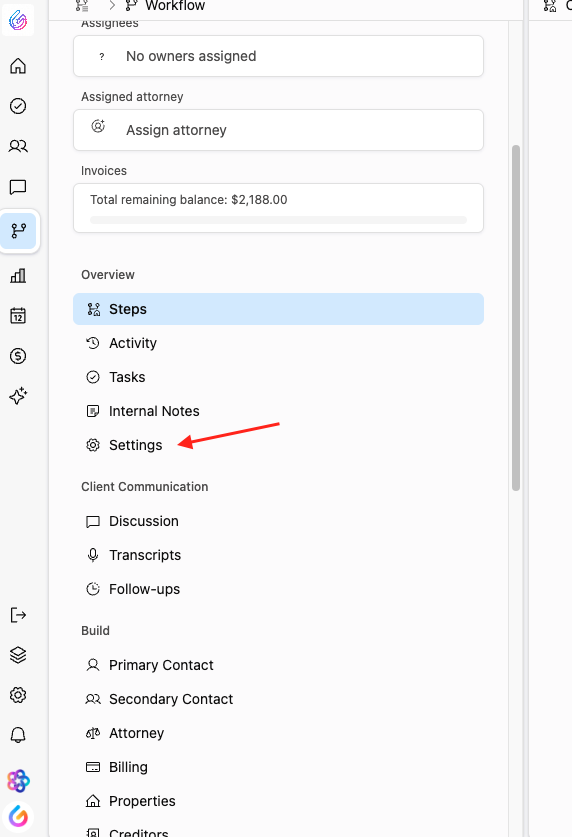
Open the workflow you want to delete.
In the left-hand navigation menu, click Settings.
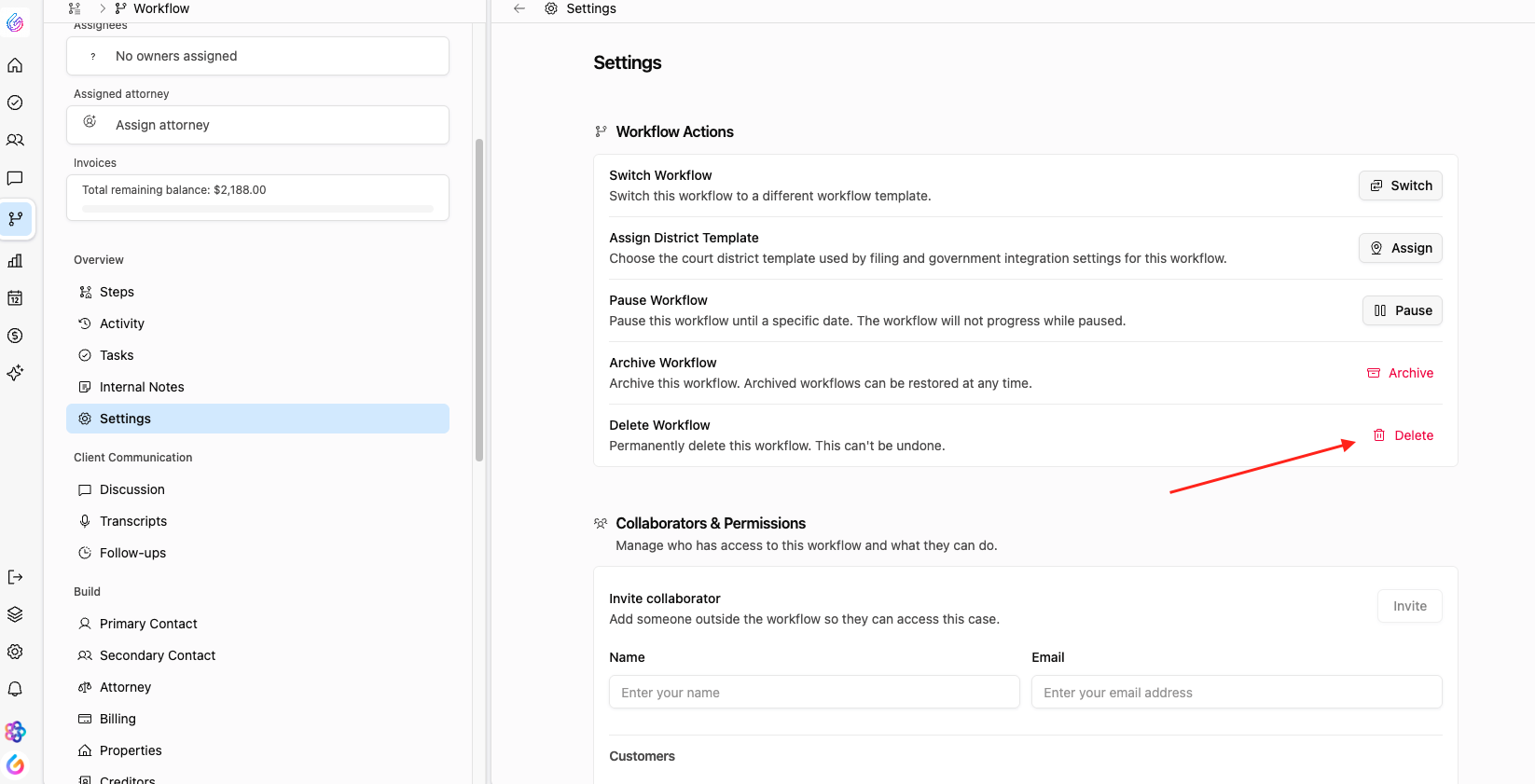
Select Delete Workflow.
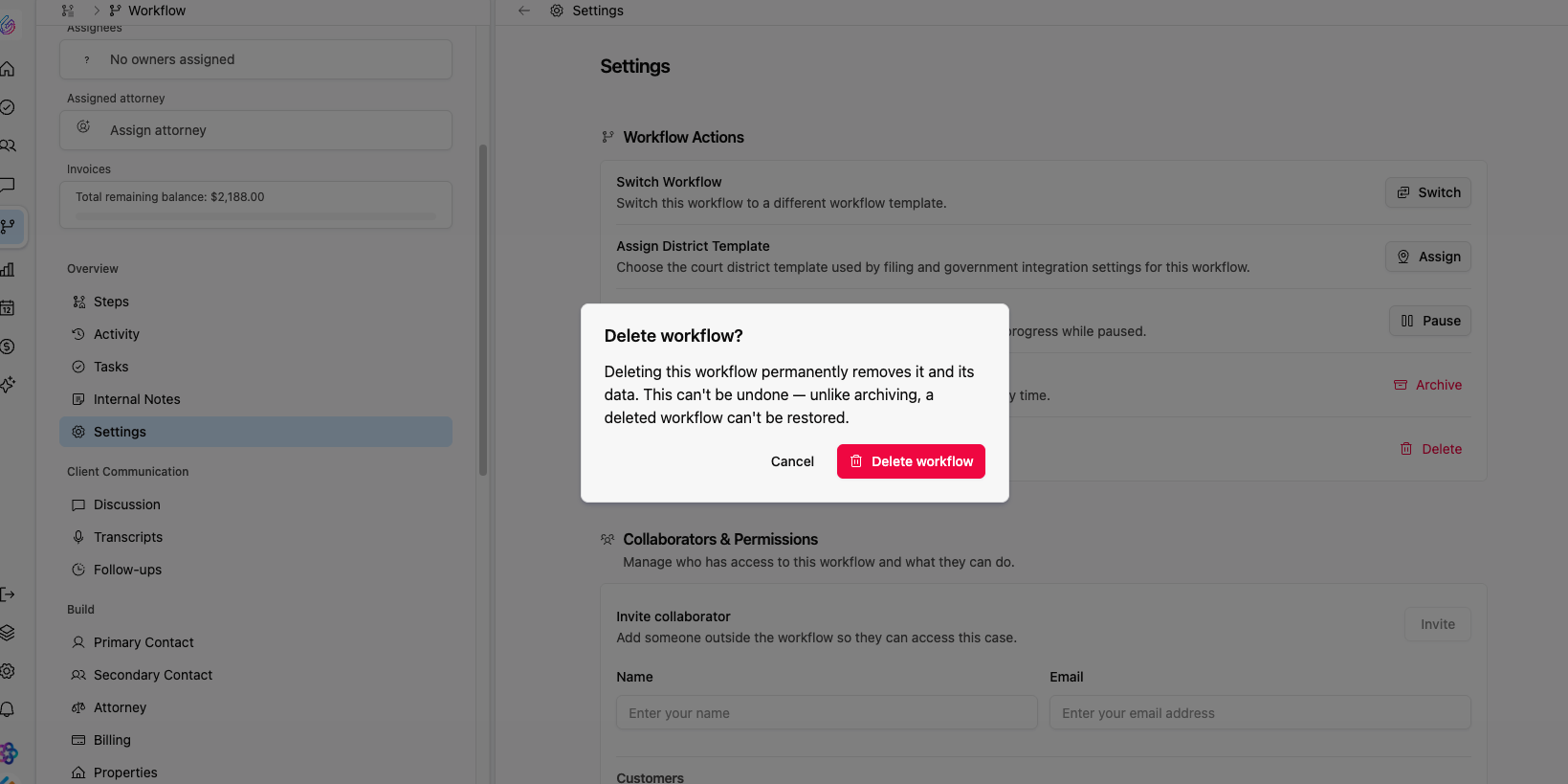
Confirm the deletion when prompted.
https://www.loom.com/share/c550e9444e2142869d443369d4bc36a4
Old Version of Glade
If you need to permanently delete a workflow:
Open the workflow you want to delete.
Click the three dots (⋮) in the top-right corner of the page.
Select Delete Workflow from the menu.
Confirm the deletion when prompted.
Note: Deleting a workflow is permanent and cannot be undone
https://www.loom.com/share/43d39ddb5aac4a79ade6ceb603098bb1.