
Bringing Mortgages into the Means Test Forms
If your client's home has a mortgage or other debt secured against it, you can have those payments flow straight into the housing section of the means test forms — no retyping and no adding up payments by hand. This works on form 122A-2 for Chapter 7 cases and form 122C-2 for Chapter 13 cases.
Overview
Section 9 of the means test forms (Housing and utilities — Mortgage or rent expenses) asks, on line 9b, for the total average monthly payment for all mortgages and other debts secured by your client's home. Glade fills that in for you using the mortgage claims you have already entered on Schedule D.
Line 9b starts out blank on purpose. Glade waits until you tell it to pull the data across, so you stay in control of which debts land on the form and when.
How It Works
1. Add the property to the property list
Make sure the home exists on the Master Property List, categorized as real property (real estate).
2. Add the Schedule D claim and link it to the property
Add the mortgage (or other home-secured debt) as a Schedule D claim, then use the asset field on that claim to link it to the property you just added. This link is what tells Glade the debt is secured by the home.
3. Open the means test form and run the agent
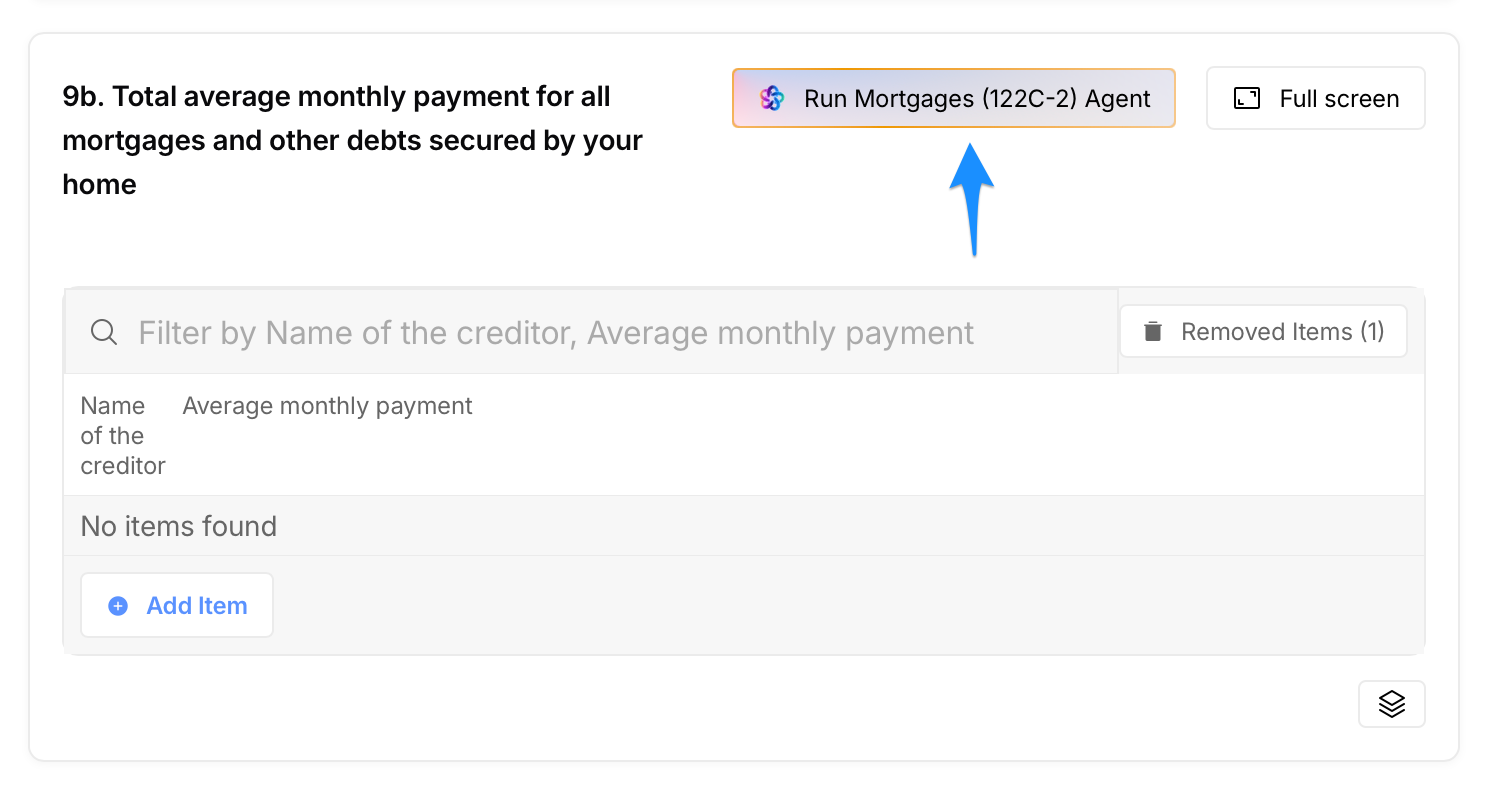
Go to form 122A-2 (Chapter 7) or 122C-2 (Chapter 13) and scroll to section 9 (Housing and utilities — Mortgage or rent expenses). Line 9b will look blank at first. Click the Run Mortgages agent button above the section — it is labeled for the form you are on (for example, Run Mortgages (122C-2) Agent) — then confirm in the dialog that appears.
Each home-secured creditor appears with its average monthly payment, and line 9b totals them.
4. Let line 9c calculate itself
Line 9c (Net mortgage or rent expense) is calculated for you: it subtracts line 9b (total average monthly payment) from line 9a (the county allowance for mortgage or rent expense). If the result is less than $0, Glade enters $0.
5. Re-run it any time something changes
If you add another mortgage, change a payment amount, or edit a claim, go back to line 9b and run the agent again. Glade replaces what is there with the current data — you do not need to clear the section first.
Key Details
All home-secured debts flow through. Unlike the vehicle section, line 9b is not capped — every qualifying mortgage or home-secured claim comes across and is added into the total.
You can remove items you do not want. Use the Removed Items control to exclude a claim from line 9b without deleting the underlying Schedule D claim. Re-running the agent restores the list from your claims.
The home needs a lien. A property owned free and clear will not flow through, because there is no secured claim and no monthly payment to report. Handle any allowance directly on the form in that case.
FAQ
Q: Line 9b is blank. Is something broken?
A: No — blank is the normal starting state. The payments only appear after you run the agent on that section.
Q: Line 9b shows $0 instead of the real mortgage payment. What happened?
A: The agent has not been run yet, or the mortgage claim was taken out through Removed Items. Click the Run Mortgages agent button to pull the current data across.
Q: I ran it and nothing appeared. What should I check?
A: Check that the mortgage exists as a Schedule D claim and that the claim is linked to the property through the asset field.
Q: Does this work for Chapter 7?
A: Yes. The same setup fills the housing section on form 122A-2 for Chapter 7 cases and form 122C-2 for Chapter 13 cases.
Q: Will running the agent again overwrite edits I typed into line 9b by hand?
A: Yes. Running it replaces the section with what is currently on your claims, so make corrections on the claim itself rather than on the form.
Q: My client's home is paid off. Should it go here?
A: It will not flow through this way, since there is no secured claim behind it. Handle the county allowance directly on the form.